Figma to WordPress development for agencies
You send the Figma file. We build the WordPress site, your client edits it in the block editor, and only your agency’s name is on it.
Figma to WordPress, done properly, starts before the build. We go through the file and list what’s missing: mobile frames, hover states, fonts, empty states. You get the questions first, then a fixed price.
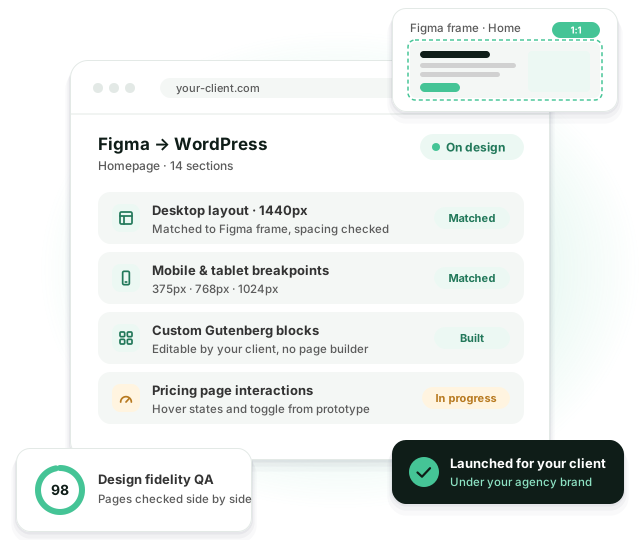
Where Figma builds usually go wrong
-
 Spacing and type drift away from the approved design
-
 A page builder adds weight and the site gets slow
-
 The client breaks the layout the first time they edit it
-
 Mobile layouts get guessed when frames are missing
-
 The build runs late and your launch date slips
-
 Your designer spends days writing QA notes
We compare every page with the Figma frames before you see it, so your designer reviews a finished build, not a first draft.
What you get back
A theme built for this design. Not a stock theme with your design pasted on top.
Matched to the frames
Spacing, type scale and breakpoints come from the Figma file and are checked side by side in the browser.
Blocks your client can edit
Each section becomes a Gutenberg or ACF block. Clients change text and images, the layout stays where it is.
Mobile from your frames
If the file has tablet and mobile frames, we build them. If it doesn’t, we adapt the layout and send it to you for approval first.
No page builder
The theme loads only the CSS and JavaScript the design needs, which keeps Core Web Vitals in good shape.
Motion from the prototype
Hover states, transitions and scroll effects from your prototype, built with CSS or GSAP.
Ready for SEO plugins
One H1 per page, a sensible heading order and clean markup that works with Yoast SEO or Rank Math.
What we check in the Figma file before quoting
Most delays on Figma builds come from gaps nobody noticed until the developer hit them.
- Mobile and tablet frames for every unique template
- Hover, focus, active and disabled states for buttons and links
- Font files and licenses for web use
- Form errors, success messages and empty search results
- Long titles and missing images: how cards look with real content
- Which parts the client will edit, and which stay fixed
Working with design systems and Figma components
A well-built Figma file maps almost one to one onto a well-built theme. We keep that link visible.
Variables and styles
Colors, type styles and spacing from your Figma variables become theme.json tokens with the same names.
Components to blocks
Each component becomes a block or a block part. Variants become block styles or settings, not separate blocks.
Auto layout to CSS
Auto layout frames turn into flexbox and grid, so sections behave the way they do in Figma when content changes.
Changes after approval
When the design changes mid-build, we update the token or component once and every page follows.
Page builder or custom blocks?
Agencies ask us this before almost every first build. On a typical marketing site the difference looks like this.
| Page builder | Custom blocks | |
|---|---|---|
| Match to the design | Close, within the builder’s limits | Matched to the frames |
| Page weight | Builder CSS and JS on every page | Only what the design uses |
| Client editing | Can move anything, layout included | Edits content, layout stays locked |
| Updates | Tied to the builder’s releases | Your own theme, versioned in Git |
Timelines for typical Figma files
Working days from answered questions to a build ready for your review. The quote gives you an exact date.
Landing page
One page, desktop and mobile frames: 3 to 5 working days.
5 to 10 templates
A marketing site with a blog and forms: 10 to 20 working days.
15+ templates or a store
Large sites, WooCommerce or several integrations: 25 to 40 working days.
How a Figma to WordPress build runs
-
1. Send the file
The Figma link, the content if you have it, and your deadline. Within one business day we come back with questions about anything that’s missing.
-
2. Get a fixed quote
Once the questions are answered, you get a fixed price and a timeline you can pass on to your client.
-
3. Review on staging
You get a staging link early and review pages as they’re finished, not all at once at the end.
-
4. Launch under your brand
We fix what your team flags, help with the launch and hand over a short editor guide with your agency’s name on it.
Example: a 9-page SaaS site from Figma
A typical project for a design agency. Illustrative, but close to how these builds usually go.
-
The file
9 desktop pages, mobile frames for 4 of them, a component library with 22 components and a clear set of variables.
-
Questions
We sent 11 questions the next day: missing mobile frames, hover states on cards, the pricing toggle and the form errors.
-
Build
16 blocks, 14 working days. The designer reviewed pages on staging as they were done and left 23 comments in total.
-
Launch
The agency launched on the date they had promised their client. The client’s marketing team has built 8 new pages since, without asking for help.
Figma to WordPress FAQ
The Figma file with desktop frames, mobile frames if you have them, fonts and the content. If something is missing, we tell you before we quote.
Yes, if your client already runs Elementor. For new sites we recommend custom blocks: they’re lighter and much harder for the client to break.
We adapt it using your design system and send you the mobile layouts for approval before we build them.
A landing page takes 3 to 5 working days, a site with 5 to 10 templates 10 to 20, and a large site or store 25 to 40. After we look at the file, you get an exact timeline with the quote.
No. There are no Deviart credits in the code, the admin or the footer, and we only talk to your team.
Related services
Related reading
Have a Figma file ready?
Send us the link. We reply within one business day with questions or a quote.