WordPress speed optimization service for agencies
Faster client sites and better Core Web Vitals, with a before-and-after report under your agency’s name.
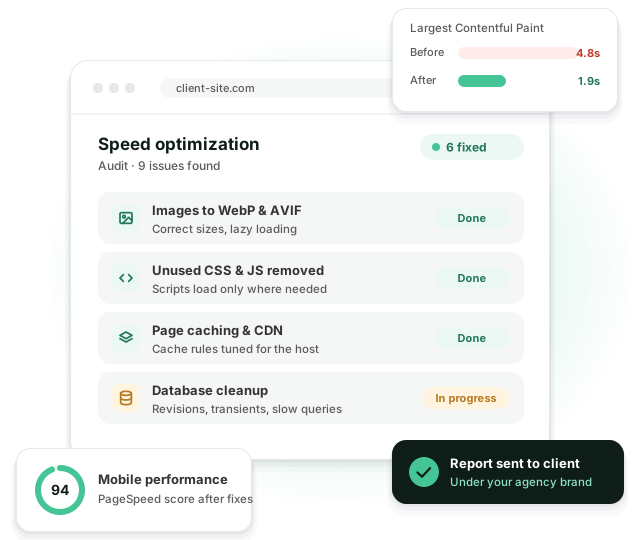
Our WordPress speed optimization service starts with a free short audit. Then we fix what slows the site down in the code: images, scripts, fonts, caching, the database and sometimes the hosting.
What slow sites cost your clients
-
 Visitors leave before the page loads
-
 Poor Core Web Vitals hurt search rankings
-
 A caching plugin alone doesn’t fix it
-
 Heavy themes and page builders add weight
-
 Plugins load their scripts on every page
-
 Your team has no time for deep performance work
Speed isn’t a plugin setting. It takes a developer who knows where WordPress loses time.
Core Web Vitals in plain words
Google measures three things on real visitors’ devices. This is what they mean when a client asks.
LCP: how fast the page shows up
The time until the biggest thing on screen, usually the hero image or heading, has loaded. Google wants 2.5 seconds or less.
INP: how fast the page reacts
The delay between a tap or click and the page responding. Under 200 ms feels instant. Heavy JavaScript from sliders, chat widgets and tracking scripts is the usual cause.
CLS: how much the page jumps
Layout shifts while the page loads, like a button moving just as someone taps it. Late banners, ads and images without set sizes cause most of it. Keep it under 0.1.
What our WordPress speed optimization service covers
A full performance pass, not a caching plugin install.
Audit
PageSpeed, Lighthouse and real-user data to find what actually slows the site down.
Core Web Vitals
Fixes for LCP, INP and CLS on the templates that get the most traffic.
Images and fonts
Modern formats, the right sizes, lazy loading and fonts that don’t block rendering.
Scripts and CSS
Unused CSS and JavaScript removed or deferred, plugin assets loaded only where needed.
Caching and CDN
Page, object and browser caching, and a CDN set up for the host.
Database and hosting
Database cleanup, slow queries fixed, and honest advice when the server is the problem.
What’s in the free speed audit
A short written report within 1–2 working days. You can forward it to your client as it is.
- PageSpeed and Core Web Vitals for the 3–5 most visited templates
- Real-user data from Chrome where the site has enough traffic
- The plugins and scripts that cost the most load time
- Hosting and caching setup, and whether it’s holding the site back
- A list of fixes, ordered by impact
- An estimate in hours and the results we think are realistic
Speed work on WP Engine, Cloudways and other hosts
Every host caches differently. A fix that helps on one can do nothing, or break things, on another.
WP Engine
WP Engine runs its own page cache, and most page caching plugins are disallowed or pointless there. We work with its cache exclusions, object cache and CDN, and check the Disallowed Plugins list before adding anything.
Cloudways
Varnish, Breeze and Redis are all available, but they need to agree with each other. We set purge rules, turn on Redis for the object cache, and add Cloudflare where it pays off.
Kinsta and other managed hosts
Server-level caching is already on, so the work moves to the theme, the plugins and the database.
Shared hosting
There’s a ceiling on what code fixes can do here. If the server is the bottleneck, we say so and suggest a move.
Example: a service business site on Cloudways
A typical before and after for a 40-page site with a premium theme, a slider and 30 plugins. Mobile scores, measured on the homepage. Most of the gain came from three things: a hero image that was 2.4 MB, a slider loading on every page, and no object cache. The theme stayed.
| Before | After | |
|---|---|---|
| PageSpeed (mobile) | 38 | 91 |
| LCP | 5.8 s | 1.9 s |
| INP | 420 ms | 140 ms |
| CLS | 0.27 | 0.02 |
| Page weight | 4.6 MB | 1.1 MB |
| Time spent | — | About 14 hours |
How it works
-
1. Send the site
Share the URL and access. Within 1–2 working days you get the free audit with an estimate.
-
2. Fix on staging
Changes go to a staging copy first. We compare key pages side by side with the live site and test forms, menus and checkout, so nothing breaks quietly.
-
3. Report
We deploy and send a before-and-after report you can forward to your client. Then we check the real-user numbers again a month later.
One-off or ongoing
Pricing is on request, after the free audit.
Speed optimization FAQ
It depends on the theme and the hosting. Sites on a custom or lightweight theme usually reach green Core Web Vitals. Page builder sites improve a lot, but not always to green. The free audit tells you what’s realistic before you commit.
No. Caching is one part. Most of the gain comes from images, scripts, fonts and how the theme loads assets. On WP Engine and Kinsta the host already handles page caching anyway.
Yes, within limits. Page builders cap how fast a site can get, and we tell you upfront how far it can go.
We work on staging and test key pages, forms and checkout before deploying.
Yes. You get the report with your logo or with no branding at all.
Related services
Related reading
Have a slow client site?
Send us the URL. You get an audit with clear findings and an estimate.