Custom Gutenberg block development for agencies
We build blocks from your designs. Your client edits pages without breaking them, and our name never shows up.
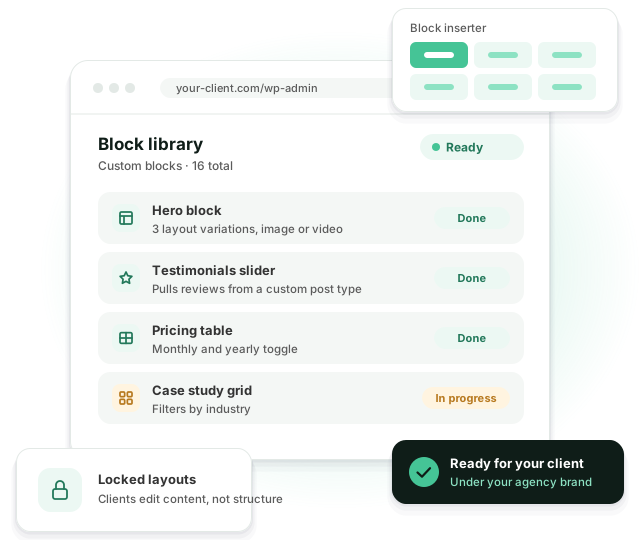
We do custom Gutenberg block development for agencies: your designs become a block library your client’s team can use on their own. Expect fewer “can you change this heading” tickets.
Why clients struggle to edit their own sites
-
 Clients break the layout when they edit a page
-
 Page builders make the site slow
-
 Small content changes turn into developer tickets
-
 Pages drift away from the brand over time
-
 Content is stuck inside a page builder
-
 Your team hasn’t worked with React or the block API
Good blocks let clients edit freely while the design stays the way you built it.
What goes into a block library
Native blocks
Built with React and the block API, with a live preview in the editor.
ACF blocks
Rendered in PHP with ACF fields. Quick to build and easy for clients to fill in.
Patterns
Ready-made sections clients can drop into a page and adjust.
Locked layouts
Template and block locking. Editors change the words and images, the structure stays put.
theme.json
Brand colors, fonts and spacing live in one file. Every block reads from it.
Dynamic blocks
Blocks that pull in posts, products, team members or reviews automatically.
A typical block library for a marketing site
Most marketing sites need 12 to 15 blocks. This is the set we start from, then adjust to the designs.
Hero
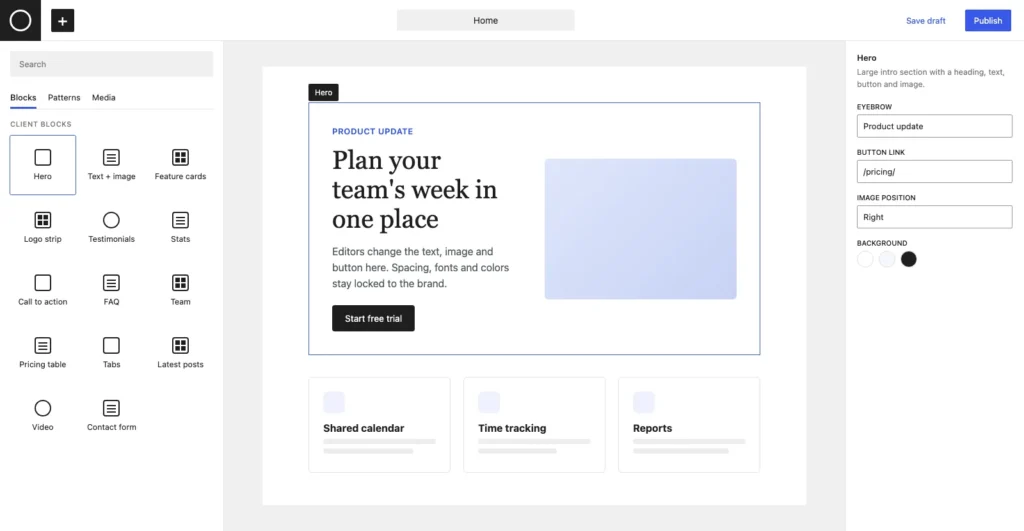
Heading, text, button and image or video, with a few layout options instead of a new block for every page.
Text and image
The workhorse block. Image left or right, optional list or button.
Feature cards
Icons, titles and short text in a grid. Editors add or remove cards without touching the layout.
Logo strip and stats
Client logos and a few numbers. Small blocks, but they show up on almost every page.
Testimonials
Quotes with name, role and photo, as a grid or a slider.
Pricing table and tabs
Plans side by side, monthly or yearly toggle, and tabbed content for product pages.
FAQ
An accordion that also outputs FAQ schema for search engines.
Team and latest posts
Dynamic blocks that pull in people, posts or case studies. Nobody copies content by hand.
Call to action and contact form
The closing sections of most pages, wired to the form plugin the site already uses.
ACF blocks or native blocks?
We pick per project. For content-heavy marketing sites we usually reach for ACF blocks first.
| ACF blocks | Native blocks | |
|---|---|---|
| Build time | Shorter | Longer |
| Editing | Fields in the sidebar | Edit right on the canvas |
| Preview in the editor | Server-rendered | Live |
| Best for | Content-heavy sections | Highly interactive layouts |
How long custom Gutenberg block development takes
A single block takes 1 to 5 hours. Size, functionality, design details and animations decide where it lands. A library of 12 to 15 blocks usually takes 2 to 3 weeks from the block list to handover.
| Time per block | Examples | |
|---|---|---|
| Simple | 1–2 hours | Quote, button group, image with caption |
| Standard | 2–3 hours | Hero with layout options, card grid, logo strip, FAQ |
| Advanced | 3–4 hours | Pricing table, tabs, blocks that pull posts or products |
| Animated or interactive | 4–5 hours | Sliders, scroll animations, counters, filters |
How we build your blocks
You see the block list, the hours and the staging site before anything goes live.
-
1. Plan the library
We split your designs into reusable blocks and patterns, and send the block list with hours for each one. Two sections that look different often turn out to be one block with a style option.
-
2. Build and test
Each block is tested in the editor and on the front end, on desktop and mobile, with long and short content. You review everything on staging.
-
3. Hand over
You get the blocks as a plugin or as part of the theme, guidance for your client’s editors and clean, commented code for your team. If something comes up in the first weeks after launch, we fix it.
How we train your client’s editors
We use whatever format your client prefers. Most agencies pick one or two of these.
Video walkthroughs
Short screen recordings for each block. Easy to send to a new marketer six months later.
Written guide
A document with a screenshot and a few lines for every block. It carries your brand, not ours.
Live call
We build a page together with the client’s team and answer questions as they come up.
Help inside the editor
Block descriptions, placeholder text and field hints. Most questions get answered before anyone opens the guide.
Example: a 14-block library for a SaaS site
This is how a typical mid-sized project goes. The agency had Figma designs for 9 pages and a client whose marketing team publishes a new landing page most weeks.
-
Block list
9 page designs became 14 blocks and 4 patterns. The agency approved the list and the hours before we started.
-
Build
10 ACF blocks for content sections and 4 native blocks for the pricing toggle, tabs and two animated sections. About 45 hours in total.
-
Handover
A 20-minute video and a short written guide for the marketing team, both under the agency’s name.
-
After launch
The client’s marketers build new landing pages from the blocks themselves. Requests to the agency are now about new blocks, not small edits, and the agency adds those through a small monthly retainer.
Gutenberg blocks FAQ
Yes. We can ship them as a separate plugin, so they work with your client’s current theme.
Yes. We rebuild Elementor, Divi or WPBakery sections as custom blocks and help move the content over.
We build on core WordPress APIs and test against current versions. On a retainer we keep them up to date.
Between 1 and 5 hours. A simple quote block is closer to 1 hour. A slider with animations and several layout options is closer to 5. You get the hours for every block before we start.
Yes. We build from your Figma, Sketch or Adobe XD files and point out early where a design will be hard for editors to use.
Related services
Related reading
Have designs to turn into blocks?
Send them over and we’ll plan the block library and send a quote.